LiveDoc
Living Documentation from Executable Specifications
Write tests that double as documentation. LiveDoc turns your BDD features and specifications into browsable, always-up-to-date documentation — powered by the tests you already run.
See the Difference
Most tests verify behavior but document nothing. LiveDoc tests do both:
Typical test — verifies, but tells the reader nothing:
test('discount', () => {
  const result = applyDiscount(100, 'SAVE20');
  expect(result).toBe(80);
});
LiveDoc spec — verifies and documents:
Scenario: Applying a discount code
  Given the cart total is '$100.00'
  When the user applies code 'SAVE20'
  Then the total becomes '$80.00'
The LiveDoc spec on the right executes as a real test and generates browsable documentation. When the test changes, the docs update automatically. When the test passes, the documentation is accurate.
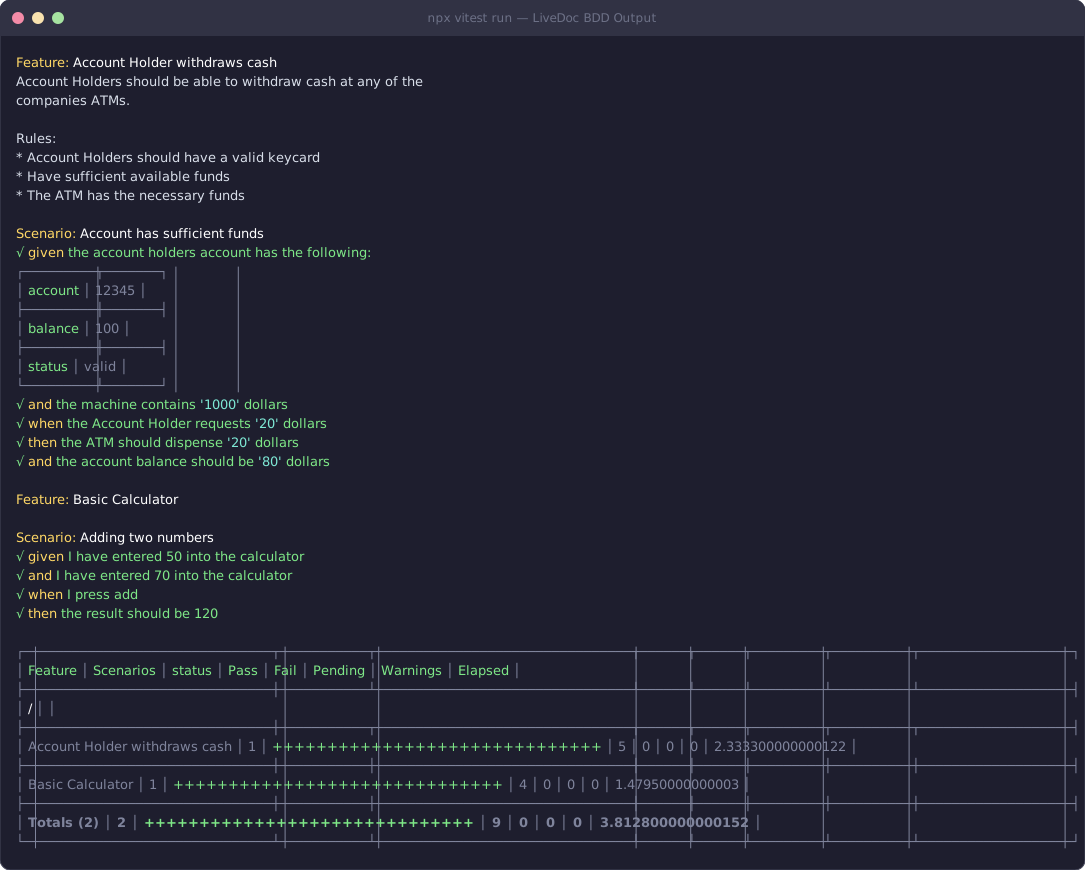
Colored, structured test output directly in your terminal
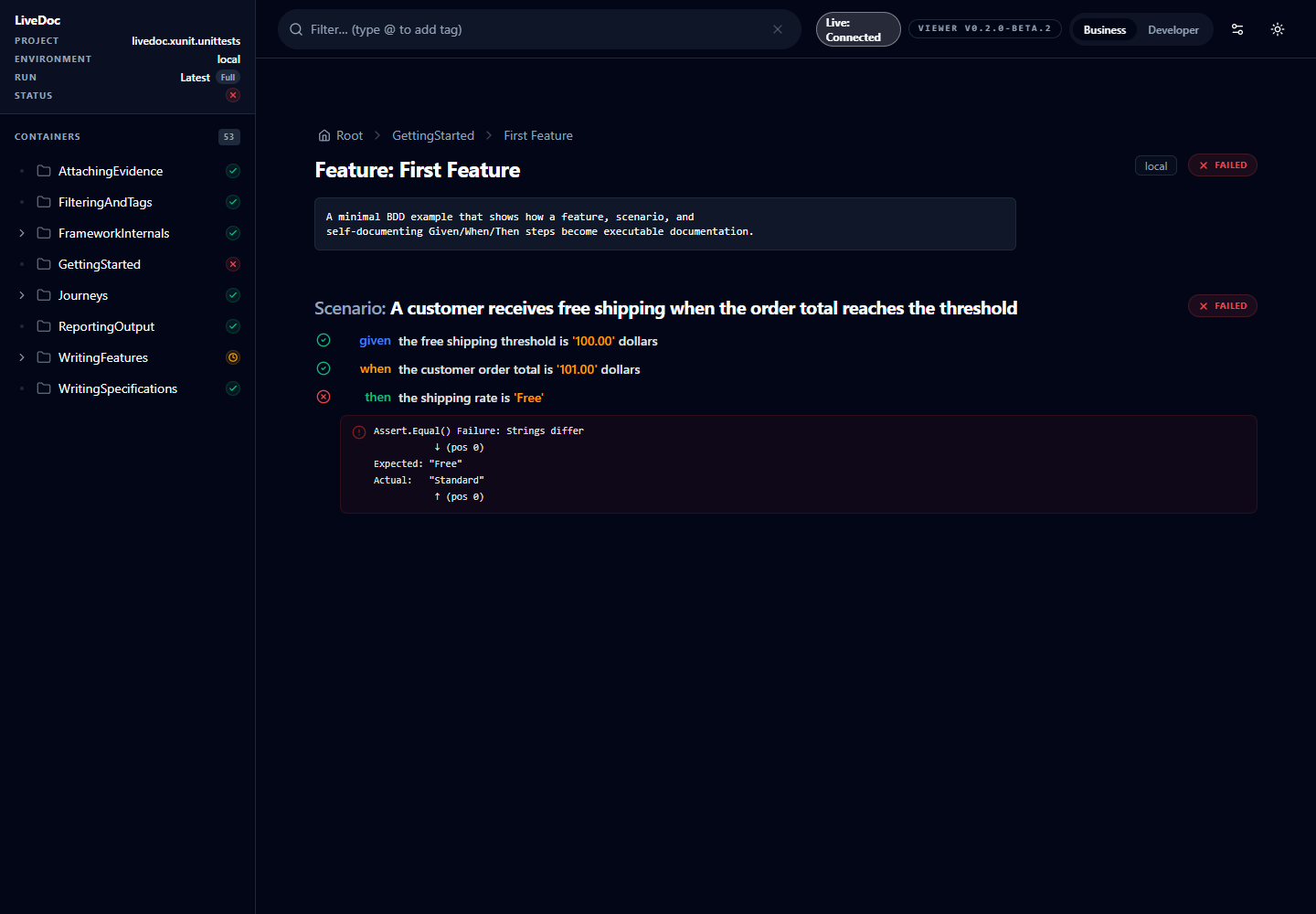
The LiveDoc Viewer — browse your test results as living documentation
"Looks Great, But I Don't Have Time to Learn Gherkin"
You don't need to. LiveDoc ships with AI coding skills for both SDKs — when you install the package, your AI assistant already knows how to write LiveDoc tests. Just describe what you want to test:
"Write a spec for the discount logic — 10% off orders over $100, 20% off over $200, free shipping over $150"
Feature: Order Discounts
  Scenario: Small order gets no discount
    Given a cart with total '$75.00'
    When the order is placed
    Then the discount is '$0.00'
    And shipping is '$9.95'

  Scenario: Medium order gets 10% off
    Given a cart with total '$120.00'
    When the order is placed
    Then the discount is '$12.00'
    And shipping is '$9.95'

  Scenario: Large order gets 20% off and free shipping
    Given a cart with total '$250.00'
    When the order is placed
    Then the discount is '$50.00'
    And shipping is '$0.00'
The AI doesn't just produce syntactically correct tests — it produces well-structured living documentation with values in titles, edge cases covered, and clear business language. The bundled skills teach it LiveDoc's patterns, value extraction, Viewer setup, and coverage configuration.
Fastest Setup: Point Your AI at One URL
LiveDoc does not need to be installed first. Give your AI assistant this prompt:
Read https://livedoc.swedevtools.com/ai/setup.md and configure this repository for LiveDoc. Inspect the project first, ask me one configuration question at a time, and wait for approval before making changes.
The bootstrap page teaches the agent how to detect Vitest, xUnit, or a mixed monorepo; interview you about project identity, Viewer publishing, coverage, thresholds, and partial testing; install the approved packages; and validate the result.
See how AI project setup works →
AI setup also installs version-matched LiveDoc skills inside the repository for every selected tool, including Copilot, Codex, and Claude Code.
Why LiveDoc?
Tests Are the Docs
Your BDD features and specifications generate documentation automatically. When a test changes, the docs update. No more stale wikis.
Always In Sync
Documentation is produced from test results, so it stays aligned with reality. If the test passes, the doc is accurate.
Developer-Friendly
Write tests in the language you already use — TypeScript or C#. No separate .feature files, no extra tooling, no context switching.
Real-Time Feedback
The LiveDoc Viewer shows test results as they run, with a searchable, filterable interface your whole team can use.
How It Works
Describe
Tell your AI assistant what to test — or write specs yourself. The built-in AI skills handle LiveDoc patterns automatically.
Run Tests
Execute with Vitest or xUnit. LiveDoc captures titles, values, steps, and results into a structured reporting model.
Browse Docs
The Viewer renders your test results as browsable, hierarchical specifications — filterable by tags, status, and search.
See It Live
Want to see what LiveDoc produces? These reports are generated automatically by our CI pipeline on every commit:
Vitest Test Results
Browse the full LiveDoc Vitest test suite — features, specifications, and scenarios with pass/fail status, data tables, and step details.
View Vitest Report →
xUnit Test Results
Browse the LiveDoc xUnit test suite — BDD features, journey tests, and .NET specifications.
View xUnit Report →
Choose Your SDK
TypeScript — Vitest
BDD and specification patterns for Vitest with zero boilerplate.
npm install -D vitest@^4.0.16 @swedevtools/livedoc-vitest
.NET — xUnit
Living documentation for .NET projects via xUnit integration.
Includes Journey Testing — end-to-end API flows in .http files with auto-generated test classes.
dotnet add package SweDevTools.LiveDoc.xUnit
Featured: Journey Testing xUnit
Write your API test flows in standard .http files with BDD annotations — use them for manual exploration in VS Code and as automated regression tests. LiveDoc generates xUnit test classes, validates response contracts against .Response.json snapshots, and handles dynamic fields with property rules.
# Feature: User Management
# Scenario: Create and retrieve a user

# Given I create a new user
# @name createUser
POST {{baseUrl}}/api/users
Content-Type: application/json

{ "name": "Alice", "email": "alice@test.com" }

###

# Then I can retrieve the user
# @name getUser
GET {{baseUrl}}/api/users/{{createUser.id}}