Getting Started
Docs for LiveDoc Viewer v0.4.0
In this guide you'll install the LiveDoc Viewer, start the dashboard, connect it to your test framework, and watch test results appear in real time — all in under five minutes.
What You'll Build
By the end of this page you will have:
- The LiveDoc Viewer running at
http://localhost:3100 - A test reporter sending results to the viewer
- A live dashboard showing features, scenarios, and step results as tests execute
Prerequisites
- Node.js 18+ installed
- A project using @swedevtools/livedoc-vitest or LiveDoc.xUnit (.NET)
Step 1: Install the Viewer
- AI Agent
- Global
- Dev dependency
Give GitHub Copilot, OpenAI Codex, Claude Code, Cursor, Roo Code, Windsurf, or another repository-aware agent this prompt:
Read https://livedoc.swedevtools.com/ai/setup.md and configure this repository
for LiveDoc. Inspect the project first, then ask me one configuration question
at a time. Summarize the proposed setup and wait for my approval before editing
files or installing packages.
The agent will ask whether to install the Viewer globally, add it as a development dependency, use an existing installation, or skip it. It will also confirm publishing, project identity, coverage, validation, and the AI tools that should receive version-matched repository skills before making changes.
No LiveDoc package or reusable skill needs to be installed before using this path.
npm install -g @swedevtools/livedoc-viewer
npm install -D @swedevtools/livedoc-viewer
Step 2: Start the Viewer
livedoc-viewer
The viewer opens your default browser at http://localhost:3100 and waits
for incoming test results.
Step 3: Connect Your Test Framework
- Vitest (TypeScript)
- xUnit (.NET)
Add LiveDocSpecReporter to your Vitest configuration — it auto-discovers
a running viewer and publishes results automatically:
// vitest.config.ts
import { defineConfig } from 'vitest/config';
import { LiveDocSpecReporter } from '@swedevtools/livedoc-vitest/reporter';

export default defineConfig({
  test: {
    include: ['**/*.Spec.ts'],
    globals: true,
    reporters: [
      new LiveDocSpecReporter({
        detailLevel: 'spec+summary+headers',
      }),
      // Auto-discovers the viewer — no extra reporter needed
    ],
  },
});
For explicit control over the viewer connection, use LiveDocViewerReporter
as a post-reporter:
import {
  LiveDocSpecReporter,
  LiveDocViewerReporter,
} from '@swedevtools/livedoc-vitest/reporter';

reporters: [
  new LiveDocSpecReporter({
    detailLevel: 'spec+summary+headers',
    postReporters: [
      new LiveDocViewerReporter({
        server: 'http://localhost:3100',
        project: 'my-project',
      }),
    ],
  }),
],
Install SweDevTools.LiveDoc.xUnit. Its reporter auto-discovers a Viewer running
on localhost:3100; no assembly attribute is required.
dotnet add package SweDevTools.LiveDoc.xUnit
dotnet test
See the xUnit Getting Started guide for full details.
Step 4: Run Your Tests
npx vitest run
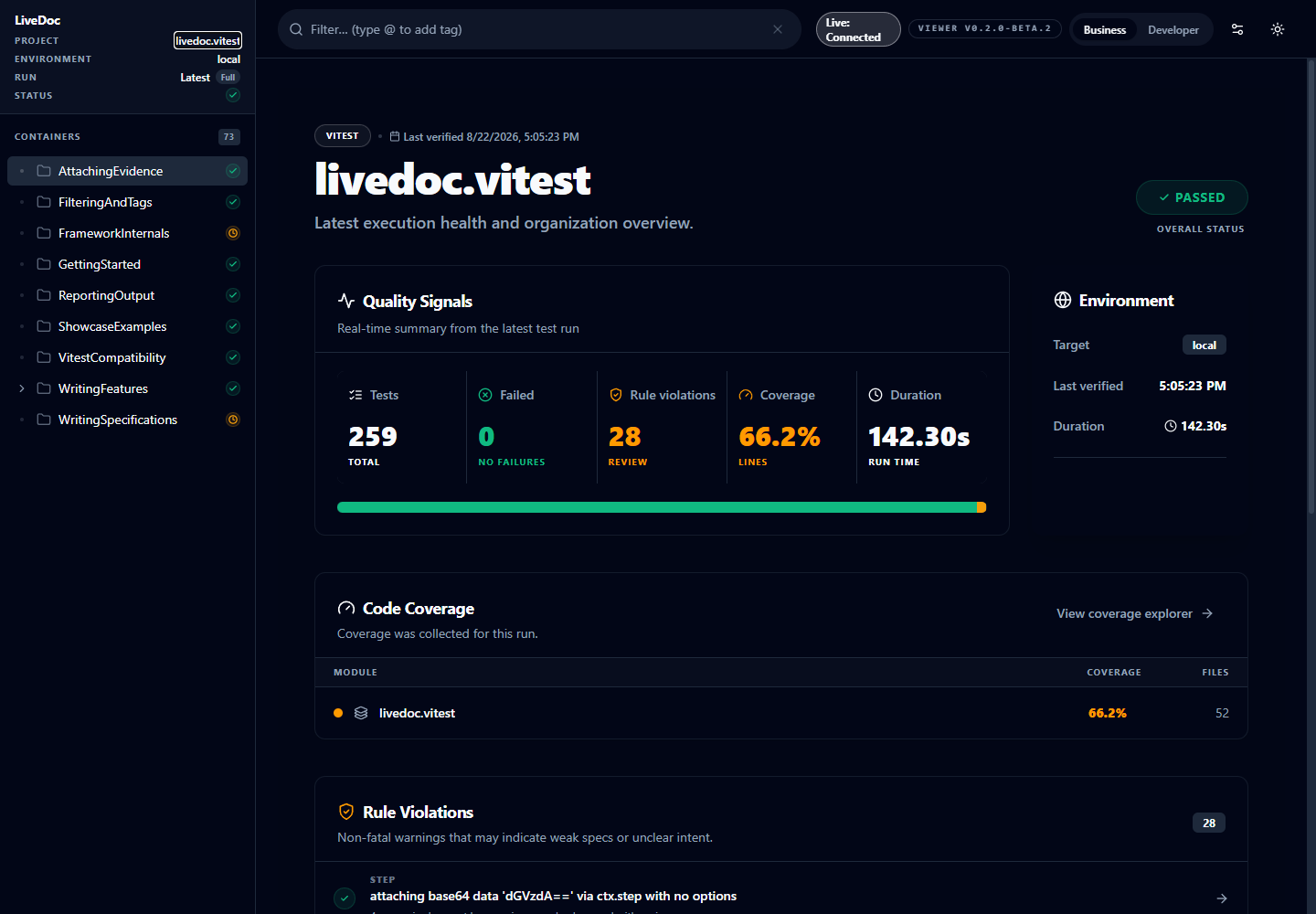
Switch to your browser — the viewer dashboard updates in real time as each scenario and step completes.
The Workflow
- Start the viewer —
livedoc-viewer - Run your tests —
npx vitest run(ordotnet test) - Reporter posts results — each scenario streams to the viewer as it finishes
- Dashboard updates live — features, scenarios, and steps appear in real time
- Debug failures — click any failed step to see the error message and stack trace
Recap
- Install with
npm install -g @swedevtools/livedoc-viewer - Start with
livedoc-viewer(opens athttp://localhost:3100) - Connect via
LiveDocSpecReporter(auto-discovers the viewer) orLiveDocViewerReporter(explicit URL) - Run tests and watch results stream into the browser
- Share the current view by copying its contextual browser URL
Next Steps
- Explore the UI: Understanding the UI — learn what each panel shows
- Collect coverage: Code Coverage — configure Vitest, xUnit, and Visual Studio
- CLI flags: CLI Options — all command-line options
- CI pipelines: CI/CD Dashboards — run the viewer in CI